Assigning accelerograms
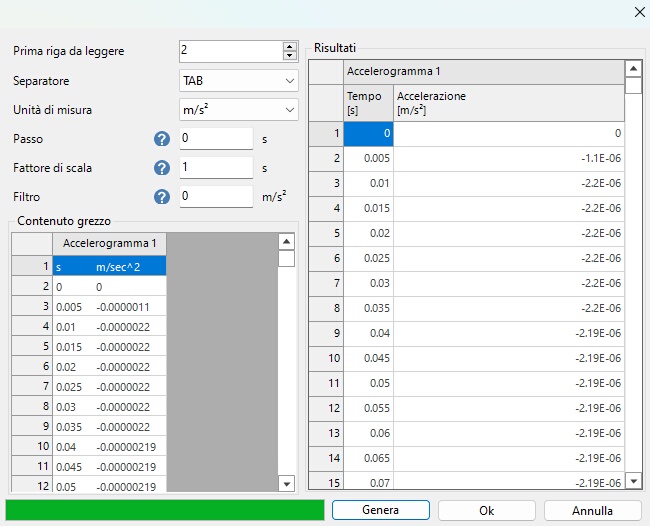
In the second calculation phase, after generating the initial stress state of the model considered, the local seismic response analysis is performed by assigning one or more accelerograms along the lower edge of the bedrock. After preparing the lower boundary for the application of an assigned accelerogram (boundary condition), the accelerogram can be loaded from the "Analysis and results" panel, using the "Accelerograms" command located on the top-left bar, which opens the following window:

The accelerogram can be imported from .txt or .csv files, or from REXELweb ASCII files (.zip, .asc). An example of importing an accelerogram from a text file is shown below.